
Apple Plans Tighter Mac Full Disk Access as AI Agents Ask for Everything
Apple wants Mac users to think harder before handing an app the keys to everything. In a post to developers on Oct. 2, the company said it will add new controls to Full Disk Access, the macOS permission that lets an app read almost anything on the drive, and it named AI agents as the reason.

“Some developers are using Full Disk Access in ways that could put users at risk, exposing everything on their systems—including files, mail, messages, and even browsing history—without users’ full knowledge and understanding,” Apple wrote, as reproduced in full by 9to5Mac. “For communication apps, this can also compromise the privacy of the people users are communicating with.”
Nothing has changed on your Mac yet. Apple gave no macOS version, no date and no technical detail. What it promised is a direction: future controls so that users who “genuinely wish to grant an app this extraordinary level of access can only do so with very explicit user action.”
Why Apple is tightening Full Disk Access now
The key line in the post is about where this is heading. “Addressing this is critical. As AI agents become increasingly capable and autonomous, the risks associated with this level of access will grow substantially,” Apple wrote.
Apple did not name a single company. The examples come from the coverage. TechCrunch tied the announcement to two recent episodes, and Engadget listed OpenClaw, OpenAI’s Dots and Meta’s Muse among agents that encourage users to grant the permission.
The first episode is Muse. On Sept. 19, Inc. columnist Jason Aten wrote that Meta’s agent had synced his Messages database to “row 187,462” even though, he said, he never enabled Full Disk Access. “I never gave it permission to do that,” he wrote. Meta disputes his account. “The Messages integration in the Muse app for Mac is entirely opt-in. You have to enable both Full Disk Access and the Messages connector for Muse to be able to read your Messages content,” Meta communications chief Andy Stone said, according to TechCrunch.
Notice what both sides agree on. Meta’s defence is that Full Disk Access is the gate. If that is the gate, Apple has decided the gate is too easy to walk through.
The second episode involves OpenAI. Security researcher Patrick Wardle found a flaw in how the ChatGPT Mac app decided which local processes to trust, which WIRED detailed on Oct. 2, according to The Hack Academy. OpenAI documented a fix on Sept. 25. That bug was not a Full Disk Access problem as such, but it shows why Apple worries about powerful apps that other code can trick.
What Full Disk Access actually is
Most Mac permissions are narrow: this app may use the camera, that one may read your Photos library. Full Disk Access is the exception. Apple’s own explanation is that it “largely sidesteps these controls in order to allow backup apps to function properly on the Mac.” A backup tool needs to copy everything, so it gets to see everything.
An agent that reads your mail, files and messages to act on your behalf wants the same reach for a different job. That is the tension Apple is now trying to manage. Unlike a backup app, an agent takes instructions, and some of those instructions can come from a web page or email it was asked to read. gHacks pointed to that risk on Oct. 5: hidden prompts that could steer an agent with full system access into exposing messages, files or passwords.
Our read: the “very explicit user action” language suggests Apple will make granting the permission slower and scarier, likely with more warnings and steps, rather than banning agents from it. Developers building Mac agents should expect more users to say no, and should design features that work without it.
Check your Mac’s Full Disk Access list now
You don’t need to wait for Apple. The list of apps with Full Disk Access is in the same place on current macOS versions, per Apple Support:
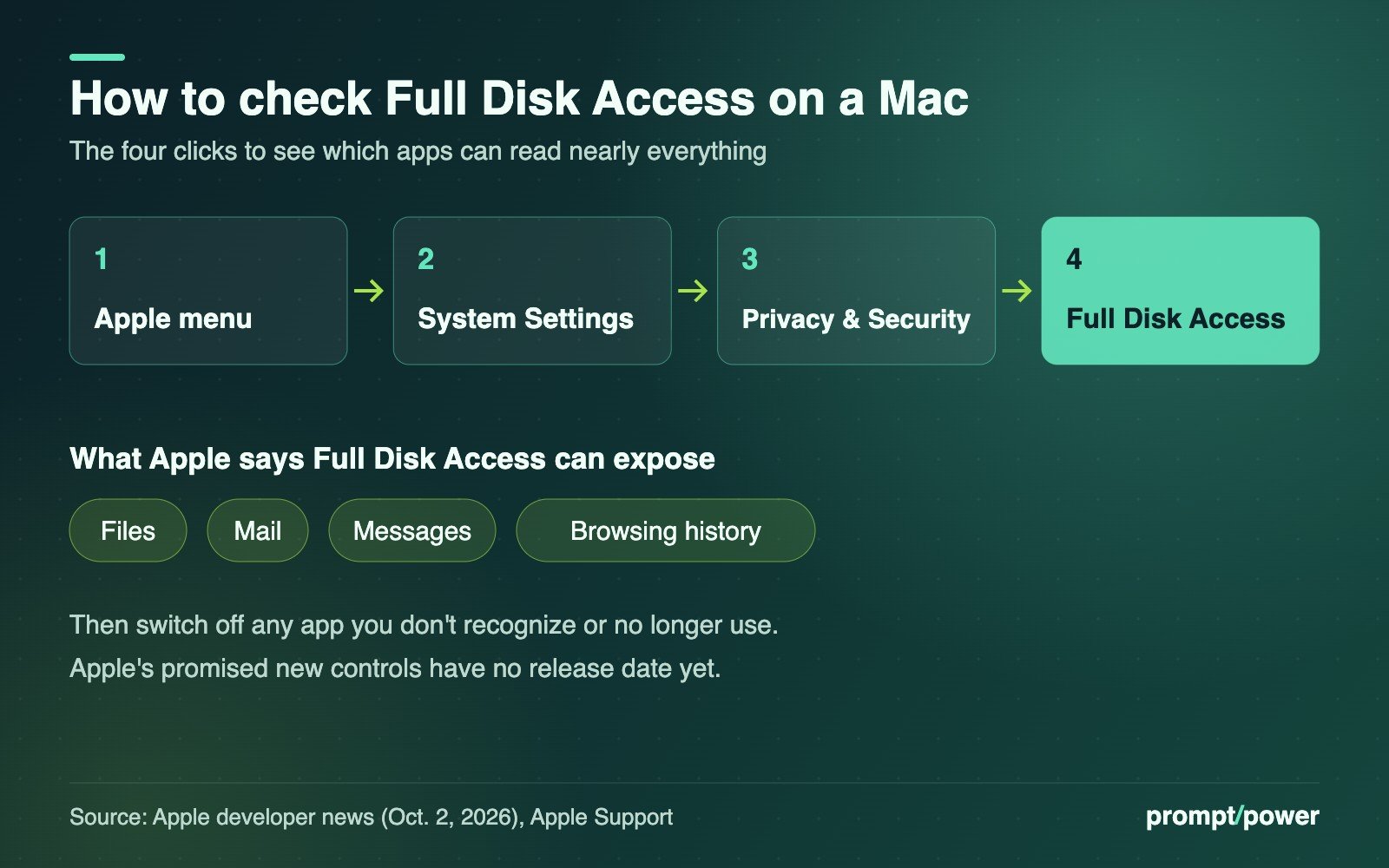
- Click the Apple menu, then choose System Settings.
- Click Privacy & Security in the sidebar.
- Scroll down and click Full Disk Access.
- Read the list. Switch off anything you don’t recognize or no longer use, especially AI assistants and agents.
- Keep the apps that genuinely need it, such as your backup software or security tools, and recheck the list after installing any new agent.
If you use Muse, Dots or a similar agent, our comparison of always-on agents covers what each can do without asking. And the leaked Muse instructions WIRED reported show how much an agent can build from that access.
Whichever account of the Muse episode is right, Aten’s number is the one to remember: row 187,462, the size of what sits behind a single toggle.

David Mensah covers software and platforms for prompt/power: apps, browsers, developer tools and the open web. He firmly believes every "simple" settings menu is hiding a second, worse settings menu.
Keep reading




Latest from prompt/power
- National Medal of Science Goes to Musk, Brin, Huang and Su. Nvidia Pledged US$1BOct 10
- TikTok Placebo Safety Test: New York Says Teens Got a Fake Feed ResetOct 10
- Waymo Takes Its First Loan, US$5 Billion, as Robotaxis Head OverseasOct 10
- Claude Haiku 5.5 Price: 90% Cheaper Until Your Prompt Hits 100K TokensOct 10
- Bell, Virgin, Public Mobile Plan Changes: The New Canadian Price ListOct 10
Leave a Reply