How to turn on Siri AI: on a supported iPhone running iOS 27, open Settings > Siri > Try Siri AI (Beta) and follow the prompts, which put you on a waitlist. It works on iPhone 15 Pro and later, M1-or-later iPads and Macs, and Apple TV 4K (2nd generation) and later once tvOS 27.2 arrives, but only with your device and Siri both set to English and an Apple Account outside mainland China. Apple’s support page says Siri AI downloads automatically when your turn comes. iPhones, iPads and Apple Watches in the EU are excluded for now.
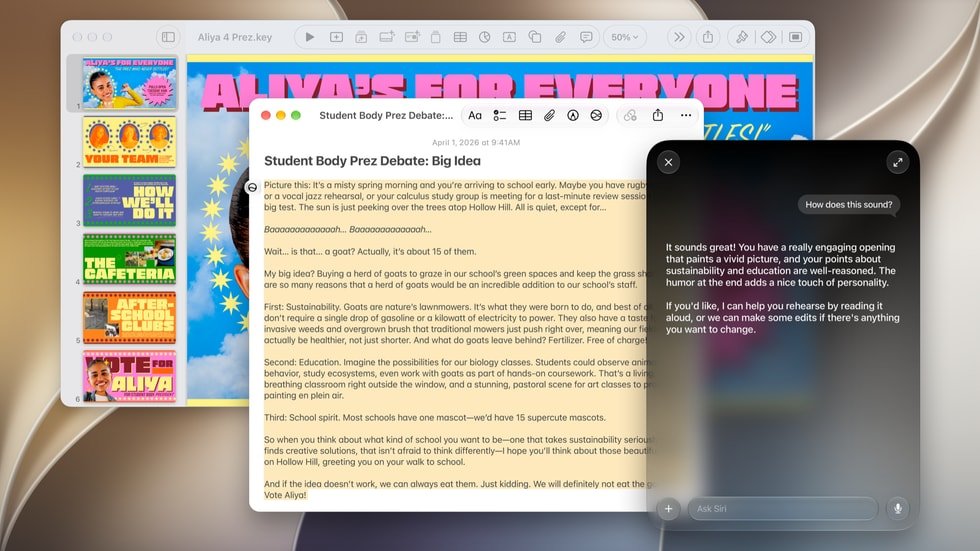
Apple’s Oct. 13 launches added a living-room wrinkle: Apple TV, HomePod mini 2 and the new HomeView all get Siri AI, on different schedules. Here is the full picture as of Oct. 14.
How to turn on Siri AI on iPhone
Siri AI is still labelled a beta, a month after Apple released it with iOS 27 on Sept. 14, and it stays off until you ask for it. Step by step:
- Update to iOS 27. Settings > General > Software Update.
- Set your iPhone’s language to English. BGR’s guide gives the path: Settings > General > Language & Region, then make English the top preferred language.
- Set Siri’s language to match. Settings > Siri > Language. Apple requires the device and Siri to use the same supported language.
- Go to Settings > Siri and tap Try Siri AI (Beta). If Siri is off, Apple says to turn it on first.
- Follow the onscreen steps. Apple’s page lists choosing a voice, finishing voice enrollment and reviewing privacy settings. BGR notes a prompt asking to share audio and text with Apple, which you can decline with Not Now.
- Wait. Apple’s wording: “This will add you to a waitlist, and wait times can vary.”
How long is the wait? MacRumors reported at launch that some users got in within minutes and others waited hours or days. You get a notification when access lands, and the Siri app appears on its own.
If Try Siri AI (Beta) never appears at the top of the Siri screen, BGR’s diagnosis is blunt: your phone probably does not support it.
Siri AI on iPad, Mac, Apple Watch and Vision Pro
Apple gives one set of instructions for every platform: update, open Settings, select Siri, choose Try Siri AI (Beta). On a Mac that means System Settings, on macOS 27 Golden Gate. The requirements differ by device, per Apple’s requirements page:
- Apple Watch needs watchOS 27 and a paired iPhone that already has Siri AI turned on. Sort out the iPhone first.
- Mac and Vision Pro are the EU exception. Siri AI works there if the Apple Account region is in the EU and both languages are English.
- iPad follows the iPhone rules, including the EU block.
Which devices get Siri AI
The compatibility list, from Apple Support and Apple’s Oct. 13 announcements:
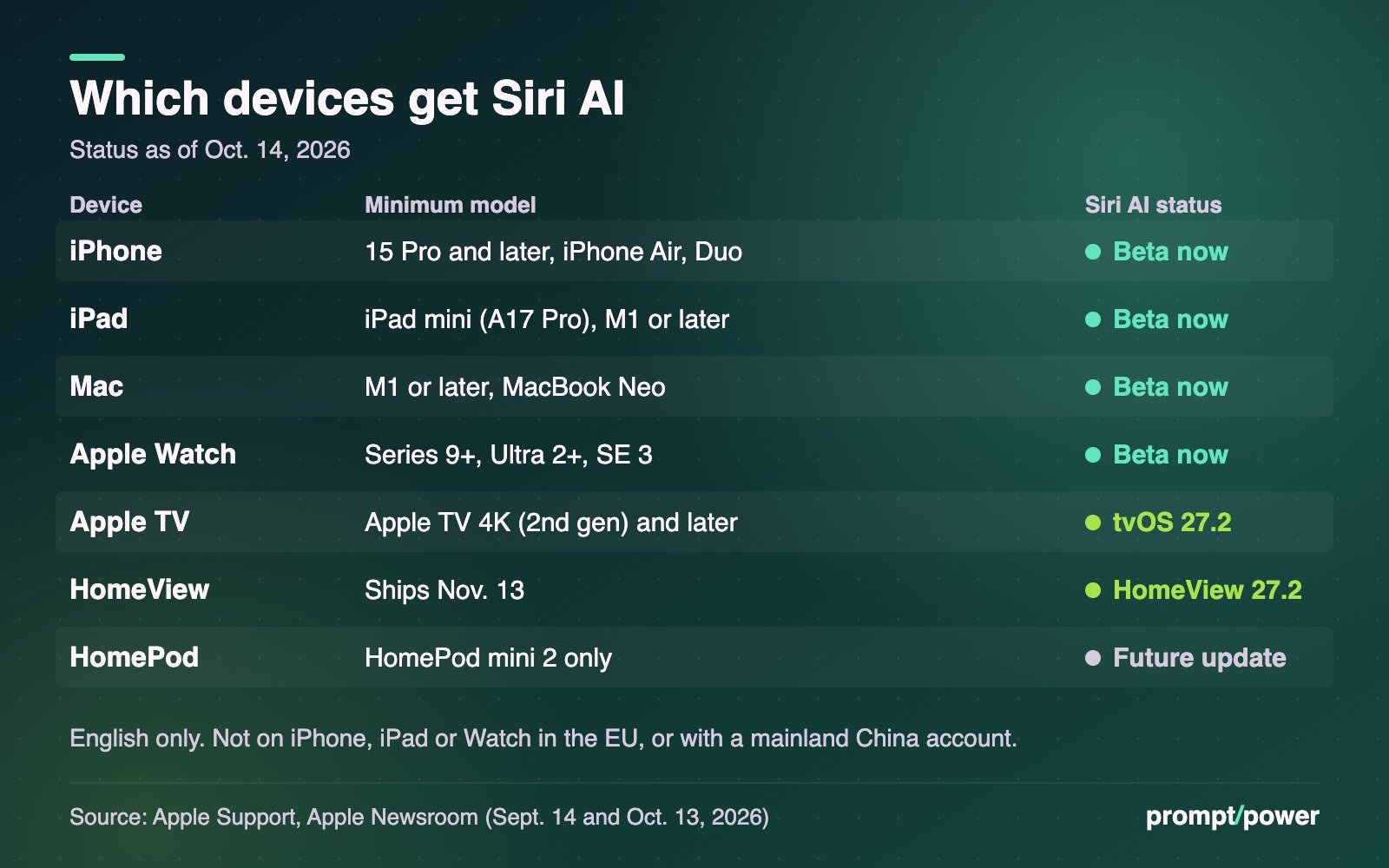
- iPhone: iPhone 15 Pro and 15 Pro Max, every iPhone 16 and later model, iPhone Air and the iPhone Duo. Not the iPhone 15 or 15 Plus, which lack Apple Intelligence.
- iPad: iPad mini (A17 Pro) and any iPad with M1 or later.
- Mac: any Mac with M1 or later, plus the A18 Pro MacBook Neo. Intel Macs are out.
- Apple Watch: Series 9 or later, Ultra 2 or later, and SE 3.
- Apple Vision Pro: all models on visionOS 27.
- Apple TV: Apple TV 4K (2nd generation) and later, in beta in tvOS 27.2.
- HomePod: HomePod mini 2 only, in a future software update.
- HomeView: in beta in HomeView software 27.2.
A second tier exists for the new expressive voices, which let you adjust Siri’s pace and expressiveness. Apple says they need its largest on-device model, which runs only on iPhone Duo, iPhone 18 Pro and 18 Pro Max, iPhone Air, iPhone 17 Pro and 17 Pro Max, iPads with M4 or later and Macs with M3 or later (both with at least 12GB of unified memory), and the M5 Vision Pro. On those iPhones, the setting lives under Settings > Siri > Voice, according to BGR.
Siri AI on Apple TV, HomePod mini and HomeView
This is where the Oct. 13 news gets confusing, so take each box separately.
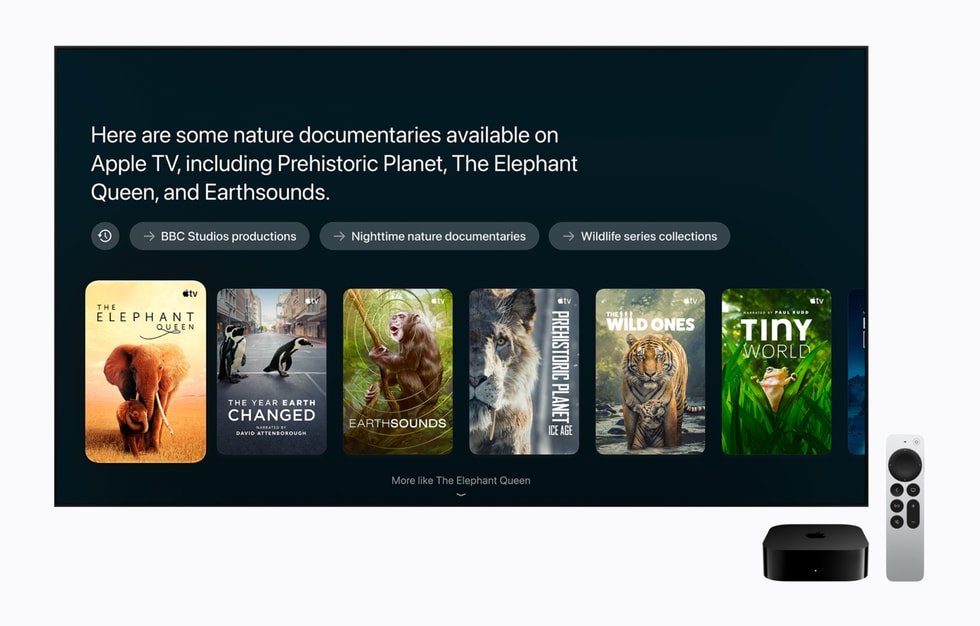
Apple TV. Apple’s footnote says “Siri AI is available in beta in tvOS 27.2” and that access extends to Apple TV 4K (2nd generation) or later, so an older 4K box may get it without buying the new US$299 model. In English, it covers the U.S., Australia, Canada, India, New Zealand, Singapore, South Africa and the U.K. Apple has not given tvOS 27.2 a date or published tvOS setup steps. MacRumors expects the 27.2 updates on or before Oct. 30.
HomePod mini 2. The US$149 speaker ships Oct. 30, but Apple says Siri AI is “coming to HomePod mini 2 in a future software update,” in English in the same eight countries. Apple’s footnote adds that the owner of the home in the Home app needs an Apple Intelligence-enabled iPhone or iPad. The release names no other HomePod, so the original HomePod mini has no announced path.
HomeView. Apple’s new home screen ships Nov. 13 with Siri AI in beta in HomeView software 27.2, per Apple’s announcement. It is not sold in the EU at all. Apple’s line for Canadian buyers: “Canadian French-language support will be offered later via a free software update.” Our Oct. 13 launch story has prices and dates for all three.
“Expanded access to such features will be available for a fee in the future.” Apple, in the footnotes to its HomeView and HomePod mini 2 announcements
That fee line matters on every device. Apple says some server-side features carry daily usage limits. MacRumors reported in September that expanded access will come with select iCloud+ plans; Apple has not named a price.
Siri AI languages: English now, five more promised for October
Apple’s Sept. 14 announcement said French, Japanese, Korean, Portuguese and Spanish would follow “next month.” As of Oct. 14, Apple’s support page still says Siri AI is “currently available only in English,” so check the date before you switch your phone’s language. MacRumors expects those languages to arrive with iOS 27.1, which Apple has not dated.
Siri AI not showing up? Check these first
- Your model. iPhone 15, 15 Plus or earlier, the A16 iPad and Intel Macs are not supported.
- Language mismatch. Device and Siri both need English. A French-language iPhone with English Siri will not qualify.
- Account region. An Apple Account set to mainland China blocks Siri AI. EU accounts are blocked on iPhone, iPad and Watch.
- Age. iClarified’s compatibility rundown notes that “Siri AI is not available to users under 13.”
- The waitlist. If you see “Joined Waiting List,” per BGR, you are in. Wait for the notification.
Curious where those Siri requests actually go once you are in? Our Siri and Apple Intelligence privacy explainer walks through on-device versus Private Cloud Compute. More guides in Software.
One last quirk. Apple’s newest speaker, the US$149 HomePod mini 2, goes on sale Oct. 30 without Siri AI, while an Apple TV 4K that may have been under your TV for years is in line for it with tvOS 27.2.

Andrew Lovesey is the editor-in-chief of prompt/power and the founder of Loveseyland, a Toronto studio that builds worlds and the companies inside them. Before that he spent 12 years at Canadian Geographic and the Royal Canadian Geographical Society, finishing as Director of Digital and Video, and later led the digital practice at Navigator. He is a Fellow of the RCGS and received its Quest Medal for his part in the expedition that located the wreck of Shackleton's Endurance. At prompt/power he covers Apple and writes the big-picture analysis. He has helped find a ship lost for more than a century, and still can't reliably find a phone charger that works.
Keep reading


Latest from prompt/power
- Meta Q3 Earnings Oct. 21: The Capex, Ads and Cash Numbers to WatchOct 21
- Anthropic’s 5% Pledge Is Worth About US$48B. Here’s the Fine PrintOct 21
- Commons AI Study Meets Parliament’s Interpreter Math: 44 Passes in 5 YearsOct 21
- CNN All Access Canada Price Is CA$7.99. Americans Pay About 23% MoreOct 20
- DeepSeek Federal Ban: DHS Order Also Covers Apps Built on Its ModelsOct 20
Leave a Reply