
Apple is putting an AI assistant inside Keynote, Pages and Numbers, and it is not all Apple’s own. In its Oct. 27 Creator Studio announcement, the company says the new intelligent assistant (beta) is “built on Apple models and OpenAI.” It comes to subscribers as a free update on the App Store in November. Creator Studio costs US$12.99 a month or US$129 a year (CA$17.99 or CA$179, per the Apple Canada release). The assistant works in U.S. English only and needs iOS 27, iPadOS 27 or macOS 27 on a device that can run Apple Intelligence.

The same update adds Model Context Protocol (MCP) support on the Mac, which lets outside AI agents open your documents and change them. That is the bigger change, and the release spends one sentence on it.
The limits are in the footnotes. What follows comes from the release, its footnotes and Apple’s Creator Studio support pages. Where they say nothing, we say so. We haven’t used the beta.
Which Creator Studio AI features use OpenAI, and which Apple doesn’t name

The update adds AI to five places. Apple names a model partner for only one of them.
- Keynote, Pages and Numbers assistant (beta). “Built on Apple models and OpenAI.” Apple says it helps with “designing, animating, and refining slides” in Keynote, drafts and restructures text in Pages, and calculates, visualizes and builds tables in Numbers. Footnote: U.S. English only, Apple Intelligence-capable device on iOS 27, iPadOS 27 or macOS 27 or later.
- Logic Pro assistant (beta). “Powered by a combination of Apple-built and third-party models.” Apple doesn’t name the third party. It’s for Logic Pro for Mac only, needs macOS 27 Golden Gate on an Apple Intelligence-capable Mac, and is also U.S. English only. Apple says it can “set up a vocal track from a single prompt” or help refine a project in progress.
- Final Cut Pro image generation. Users “can create stunning images from text descriptions right inside their project.” No model is named, and this feature has no footnote.
- Pixelmator Pro Generate Fill. You circle an area and describe a change, and Apple says the tool matches “the lighting, perspective, and texture” around it. No model is named here either.
- Logic Pro music understanding. This one is the exception. Apple calls it “an on-device audio analysis tool” that tags and sorts your sound library for the redesigned Browser.
So Apple only says where the processing happens for the one feature that tags sounds. For the four generative features, the release doesn’t say whether your work stays on the device, goes to Apple’s Private Cloud Compute servers or goes to a partner. The Creator Studio product page adds one general line in a footnote: some intelligence features “utilize third-party models and may have usage limits and restrictions.” It doesn’t list which features, or what the limits are.
What does OpenAI see from your Keynote deck?
Apple hasn’t said. Neither the release nor the About Apple Creator Studio support page (published Oct. 14) mentions OpenAI’s role in handling data, retention or Private Cloud Compute.
Apple has published those rules for its existing ChatGPT integration. As we laid out in where your Siri and Apple Intelligence requests actually go, Apple’s ChatGPT extension privacy page says the extension is off until you turn it on. It hides your IP address from OpenAI. And if you use it without signing in to an OpenAI account, OpenAI isn’t allowed to train on your requests. That page covers Siri and Writing Tools. Nothing Apple has published so far says it covers an assistant that can read a whole Numbers spreadsheet.
“Built on Apple models and OpenAI” can mean two things. Either OpenAI’s technology runs inside Apple’s own infrastructure, or your requests go to OpenAI’s servers. Those are very different setups for privacy, and the release doesn’t say which this is. Our read: until Apple publishes a privacy disclosure for the iWork assistant, treat it like any cloud chatbot. Don’t paste anything into it that you wouldn’t email to a vendor.
MCP in Keynote, Pages and Numbers: what outside agents can do
Model Context Protocol is an open standard that Anthropic proposed in November 2024 for connecting AI assistants to apps and data. It now sits under much of the agent news in our AI coverage. An app that supports MCP describes what it can do in a format agents understand, so an agent can call those actions directly. It doesn’t have to click through menus.
Apple says the new MCP support “enables external AI agents and tools to read content, perform edits” and “execute automated actions directly in Keynote, Pages, and Numbers.” The key word is “external.” This isn’t Apple’s assistant. It’s a way in for other people’s agents. MCP requires macOS 27 or later, and the footnote names only the Mac, so iPhone and iPad aren’t included.
Keynote also gets a new file format to go with it. Keynote Interchange Format (.keyx) is, in Apple’s words, “an open JSON-based bundle file format” that external tools, developer workflows and AI agents can read. Keynote files have long been awkward for anything but Keynote. JSON means a script or agent can build or edit a deck without the app.
The release doesn’t cover the questions that come next. It doesn’t name any agents that work with it on day one. It doesn’t say whether each agent needs your permission per document or per app, or whether edits made by an agent can be undone or are logged. Apple told developers on Oct. 2 that it plans to require “very explicit user action” before apps get Full Disk Access, and it gave AI agents as the reason. Letting agents into iWork pulls the other way, and Apple hasn’t explained how the two fit together. Compare the Personal Agent Protocol, which starts agents on read-only access and makes write access a separate step.
Can Canadians and UK users get the Creator Studio assistant?
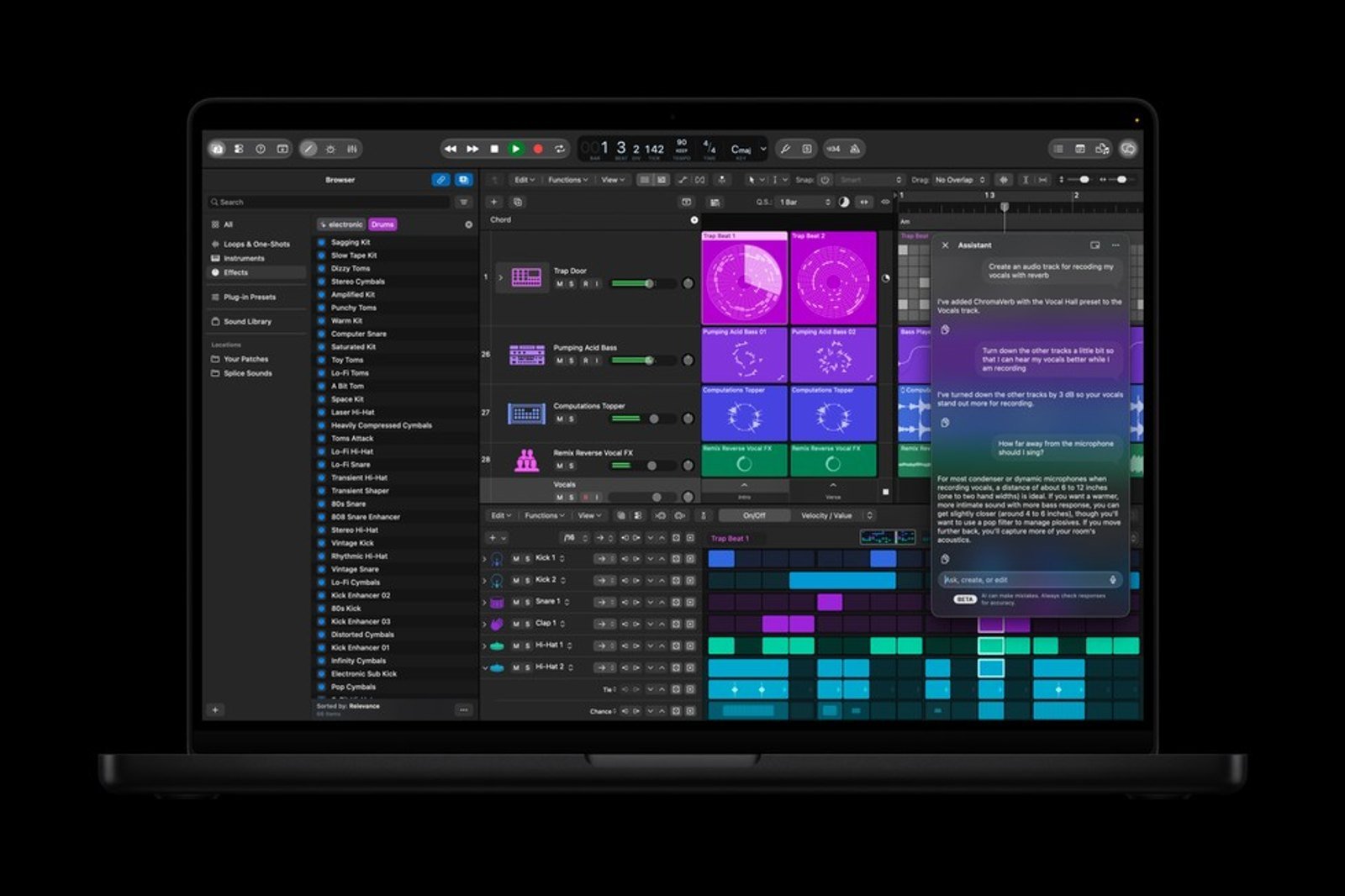
Both assistants, in iWork and in Logic Pro, are “available in U.S. English only,” according to Apple’s footnotes. The Canadian release carries the same footnote next to CA$ prices.
The restriction is about language, not country, and Apple doesn’t say whether changing your device to U.S. English unlocks it in Toronto or London. French-speaking Canadians are out either way for now. The other new features, including Final Cut Pro image generation, Generate Fill and MCP, have no language footnote.
You also need hardware that can run Apple Intelligence. Our guide to which iPhones, Macs and iPads support it has the list.
Creator Studio price, free trial and who actually pays
If you already subscribe, the update is free. New subscribers get a one-month free trial, or three months free with a new Mac or qualifying iPad. Family Sharing covers up to six people. Apple’s support page says Family Sharing isn’t available on the higher-education plans.
| Plan or app | U.S. | Canada |
|---|---|---|
| Creator Studio, monthly | US$12.99 | CA$17.99 |
| Creator Studio, yearly | US$129 | CA$179 |
| Education, monthly / yearly | US$2.99 / US$29.99 | CA$3.99 / CA$39 |
| Final Cut Pro, one-time | US$299.99 | CA$399.99 |
| Logic Pro, one-time | US$199.99 | CA$249.99 |
| Pixelmator Pro, one-time | US$49.99 | CA$69.99 |
Keynote, Pages, Numbers and Freeform are still free. But Apple’s support page says that if you cancel Creator Studio, you keep those apps “without the intelligence features included in the subscription.” In practice, the free office apps now have a paid AI tier. Apple also doesn’t say whether people who bought Final Cut Pro or Logic Pro outright get the new AI features, or whether those stay subscription-only.
“The assistant capabilities in Logic Pro, Keynote, Pages, and Numbers are going to change the game for how people interact with and learn to use these apps,” said Brent Chiu-Watson, Apple’s senior director of Worldwide Product Marketing for Apps and iCloud.
Notice the order. Chiu-Watson’s quote in the release opens by calling this “our most exciting update since the launch of Apple Creator Studio” and gets to MotionVFX effects in Final Cut Pro before it gets to AI.
What to do before the November update
- Check your language setting. If your device isn’t set to U.S. English, Apple’s footnotes say the assistants won’t be available to you.
- Wait for a privacy page. Apple published one for its ChatGPT extension. Look for one covering the iWork assistant before you use it on client files or financials.
- Don’t connect agents yet. Once MCP goes live on macOS 27, any agent you connect can edit your documents, not only read them. Keep copies of decks you can’t afford to lose.
- Try .keyx on a test deck. It’s the one change here that doesn’t depend on any AI model.
Footnote 2 of Apple’s release says the assistant requires “an Apple Intelligence-capable device.” There’s no footnote saying where your spreadsheet goes once you ask it a question.

Andrew Lovesey is the editor-in-chief of prompt/power and the founder of Loveseyland, a Toronto studio that builds worlds and the companies inside them. Before that he spent 12 years at Canadian Geographic and the Royal Canadian Geographical Society, finishing as Director of Digital and Video, and later led the digital practice at Navigator. He is a Fellow of the RCGS and received its Quest Medal for his part in the expedition that located the wreck of Shackleton's Endurance. At prompt/power he covers Apple and writes the big-picture analysis. He has helped find a ship lost for more than a century, and still can't reliably find a phone charger that works.
Keep reading




Latest from prompt/power
- SK hynix Memory Is Sold Out Through 2029. PCs and Phones Pay the PriceOct 29
- GPT-6.1 Terra Price: US$1 In, US$5 Out. What Agents Cost Now, and the CatchOct 29
- Australia’s Chatbot ‘Intimacy’ Ban Is for Kids Only. Canada’s Bill Isn’tOct 29
- Cohere Caught Qwen Trying a Beijing Upload. How to Lock Down AI AgentsOct 29
- Cloudflare’s AI Leaked Other Customers’ Data in 155 Replies. What to CheckOct 29
Leave a Reply